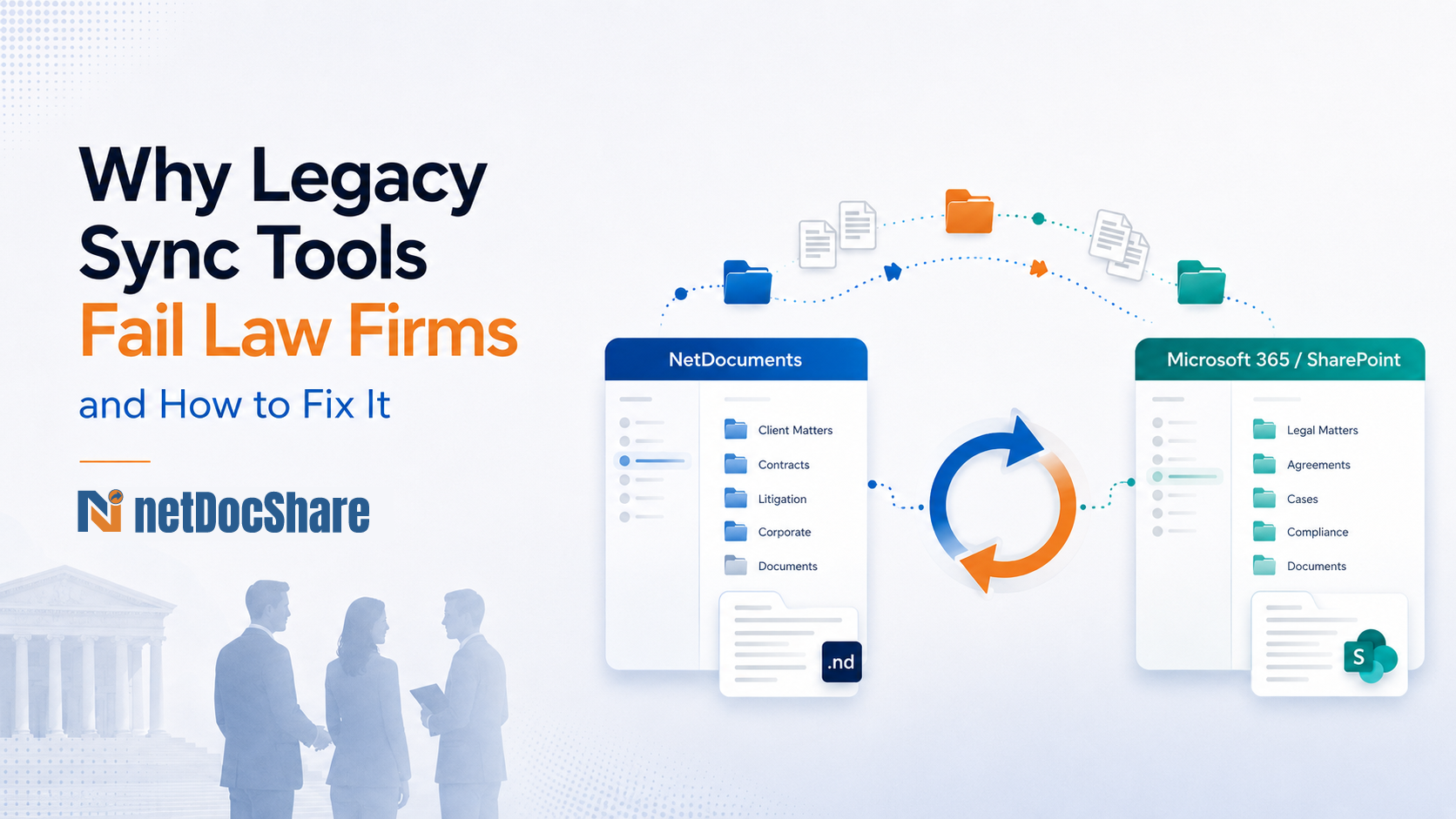
Why Legacy Sync Tools Fail Law Firms and How to Fix It?
“When synchronization between your DMS and Microsoft 365 breaks down, it’s not just an IT inconvenience - it’s a threat to matter continuity, client trust, and compliance integrity.”
For law firms, the synchronization layer between NetDocuments and SharePoint isn’t infrastructure, it’s the nervous system of modern legal collaboration. Yet most firms are running sync tools that were never designed for the realities of enterprise legal environments.
The result? Filename failures, alert floods, compliance gaps, and brittle pipelines that break under pressure.
Here is what’s actually going wrong and what a purpose-built solution looks like.
Stop failures before sync starts
Detect file path, naming, and SharePoint constraint issues early instead of reacting after a job collapses.
Reduce alert noise
Group repeated exceptions and separate true failures from low-value informational events.
Keep sync auditable
Preserve metadata, permissions, logs, and recovery controls across legal workspaces.
The Hidden Cost of Filename Failures at Scale
Law firms don’t name documents like SaaS startups do. Deeply nested matter workspaces, legacy naming conventions, and file paths inherited from decades of practice are the norm, not the exception.
SharePoint enforces strict path length limits and filename character restrictions. Legacy sync tools treat this as someone else’s problem, failing reactively after sync jobs collapse and leaving IT teams to pick up the pieces manually.
The true cost isn’t the failed sync event, it’s the invisible tax: IT time diverted to firefighting, delays in matter document access, and the creeping erosion of confidence in the platform.
- Pre-sync detection of SharePoint path and filename limit violations before synchronization begins, not after it fails.
- Automatic normalization and truncation of filenames to comply with SharePoint constraints, without manual intervention.
- Original NetDocuments filenames preserved in a dedicated SharePoint metadata column, zero data fidelity lost.
- Elimination of the manual remediation cycle that burdens IT teams at scale.
The shift from reactive to proactive isn’t a luxury in high-volume legal environments. It’s the difference between a sync platform that scales and one that becomes a liability.
Alert Fatigue Is a Compliance Risk in Disguise
Legal IT and operations teams are already stretched. When a sync tool floods exception logs with hundreds of low-signal informational events for every genuine failure, the signal-to-noise ratio collapses.
Teams stop reading the logs. Real failures get buried. By the time a critical sync error surfaces, the window for timely remediation has closed.
This isn’t just an operational inconvenience in regulated environments where audit trails and document integrity are compliance obligations. Alert fatigue is a risk that belongs in your firm’s risk register.
- Groups and categorizes repetitive exceptions into single actionable entries, replacing log floods with structured intelligence.
- Automatically suppresses previously acknowledged informational exceptions.
- Distinguishes true synchronization failures from routine informational events, enabling faster triage.
- Configurable exception policies calibrated to firm-specific operational thresholds.
“When every minor event generates an alert, operational teams lose sight of the issues that actually matter. In a high-stakes legal environment, that’s not an inconvenience, it’s a vulnerability.”
Operational Visibility Isn’t Optional in Enterprise Legal
When a synchronization job fails at 2am, the question isn’t just “what failed?” It’s “why did it fail, when exactly, and does it affect matter documents a client needs tomorrow morning?”
Unstructured log files can’t answer those questions without hours of forensic investigation. That’s hours no legal IT team has to spare.
| Log Field | What It Enables |
|---|---|
| Error Category | Classifies failure types for pattern analysis and proactive remediation — identify systemic issues before they repeat. |
| Severity Level | Distinguishes critical failures from warnings and informational events — enabling immediate triage prioritization. |
| Timestamp | Precise event timing for audit correlation, compliance review, and forensic investigation. |
Structured logging transforms sync operations from a black box into an auditable, navigable record, a critical requirement when operating under compliance obligations and processing thousands of documents daily.
Transient Failures Shouldn’t Mean Starting From Zero
API throttling. Network interruptions. Temporary file locks. These are facts of life in enterprise environments, not edge cases.
Legacy sync tools treat a transient failure as a terminal one, halting the entire job and requiring manual restart from the beginning. In a law firm where synchronization continuity directly supports client extranet access, Teams collaboration, and business continuity during a matter, that behavior is unacceptable.
- Configurable retry policies for network interruptions, API throttling events, and temporary file lock conditions, handling the scenarios that actually occur in production.
- Exponential backoff support prevents API rate limit cascades from compounding into larger failures.
- Automatic recovery resumes from the point of failure, not from the beginning of the job, eliminating redundant reprocessing.
For any firm where synchronization continuity is tied to matter collaboration and client deliverables, intelligent retry and recovery is a fundamental operational requirement, not a premium feature.
Sync Is a Compliance Event, Not Just a Technical One
Every document that moves between NetDocuments and SharePoint carries permissions, metadata, and an audit obligation with it.
A sync tool that moves content without preserving ethical wall configurations, security policies, or matter metadata isn’t just technically incomplete, it creates regulatory and ethical exposure that no law firm can afford.
This is where the architecture of a sync platform reveals its true pedigree.
- Metadata Sync: Bi-directional synchronization of NetDocuments Profile fields to SharePoint Columns, matter context travels with every document, preserving searchability and classification across platforms.
- Permission Sync: Full support for NetDocuments Ethical Walls and Ethical Wall alignment is enforced in SharePoint, preventing unauthorized access to synced content across practice groups and matters.
- Audit Logging: Detailed audit trail of all sync activity, accessible for compliance review and forensic investigation.
- Selective Sync & Exclusion Policies: Granular configuration to include or exclude specific workspaces, matters, or document types from synchronization scope, firm-controlled governance at every level.
The sync layer must be held to the same governance standard as the DMS itself. Anything less is a gap in your firm’s data governance posture and one that regulators, clients, and auditors will eventually find.
Sync Infrastructure Is a Strategic Choice
For too long, the synchronization layer between legal DMS platforms and Microsoft 365 has been treated as undifferentiated commodity infrastructure.
The firms discovering otherwise are the ones that deployed a generic enterprise sync tool and are now managing the fallout: filename failures at scale, compliance gaps that emerged during audits, and operations teams burned out on alert noise that never surfaces the issues that matter.
netDocShare Sync was purpose-built for the legal enterprise, for firms where matter workspaces are complex, compliance obligations are real, and synchronization continuity is business continuity.
The capabilities outlined here aren’t differentiators on a feature comparison sheet. They are the baseline that every law firm should demand from the infrastructure connecting their document management system to the collaboration platforms their teams and clients depend on daily.
If your current sync tool is reactive where it should be proactive, noisy where it should be precise, and silent where it should be auditable, it’s time to set a higher standard.
See the Architecture Behind Better Legal Sync
Join a focused architecture session covering sync design, operational controls, and real-world law firm deployment scenarios, including how firms are navigating SharePoint limitations, Teams collaboration, and business continuity.
Book a Demo